MCPProxy Web UI Guide

Comprehensive management interface for your MCP servers

v0.17.1

The main overview page showing system health, token savings metrics, recent sessions, and recent tool calls.

  • Token Savings metrics (98.4% reduction)
  • Token Distribution pie chart by server
  • Server attention alerts with Login actions
  • Quick server status overview (18/20 connected)
  • Recent Sessions with client details
  • Recent Tool Calls with duration and token usage
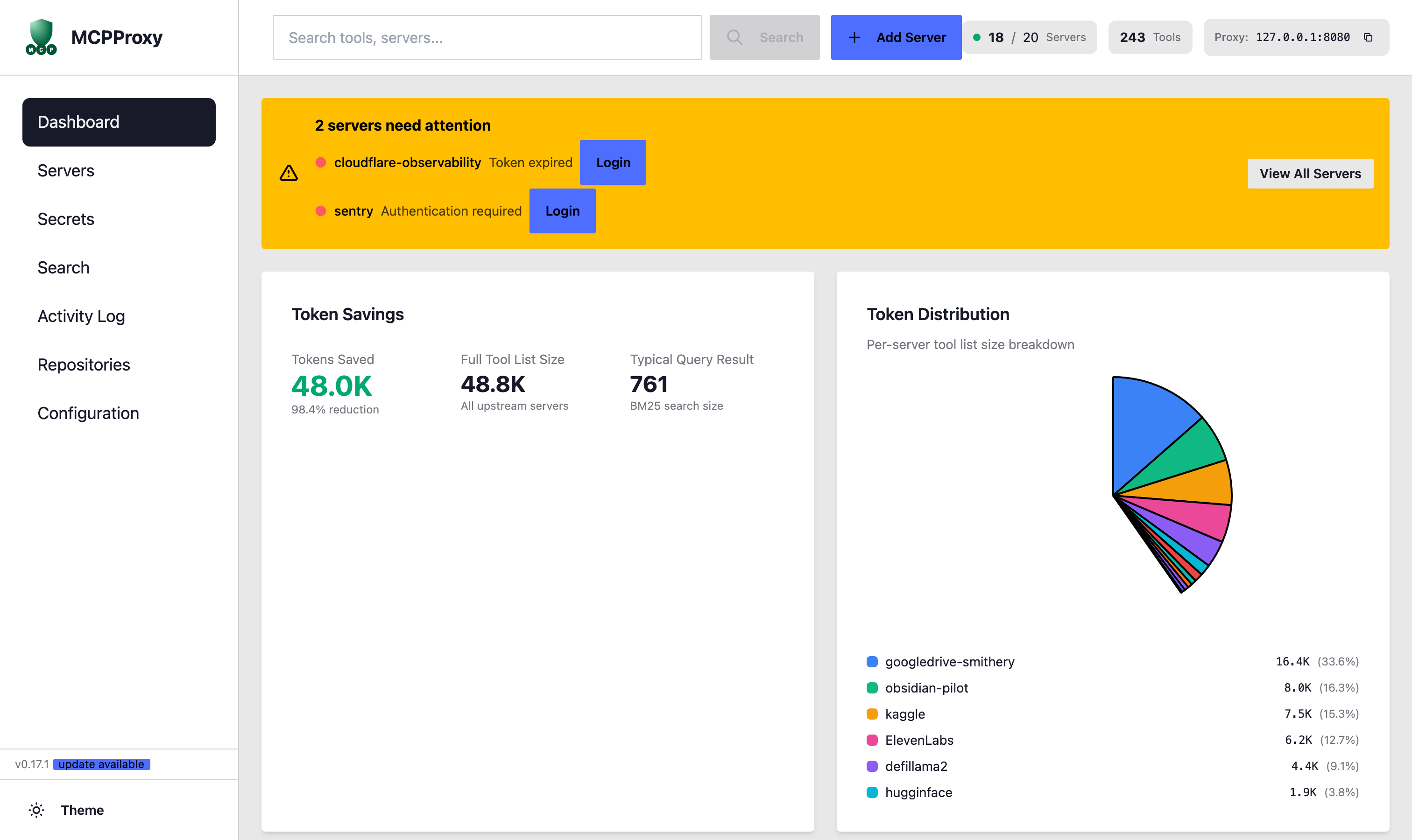
Dashboard - Overview
Dashboard top: Token savings, distribution chart, server alerts
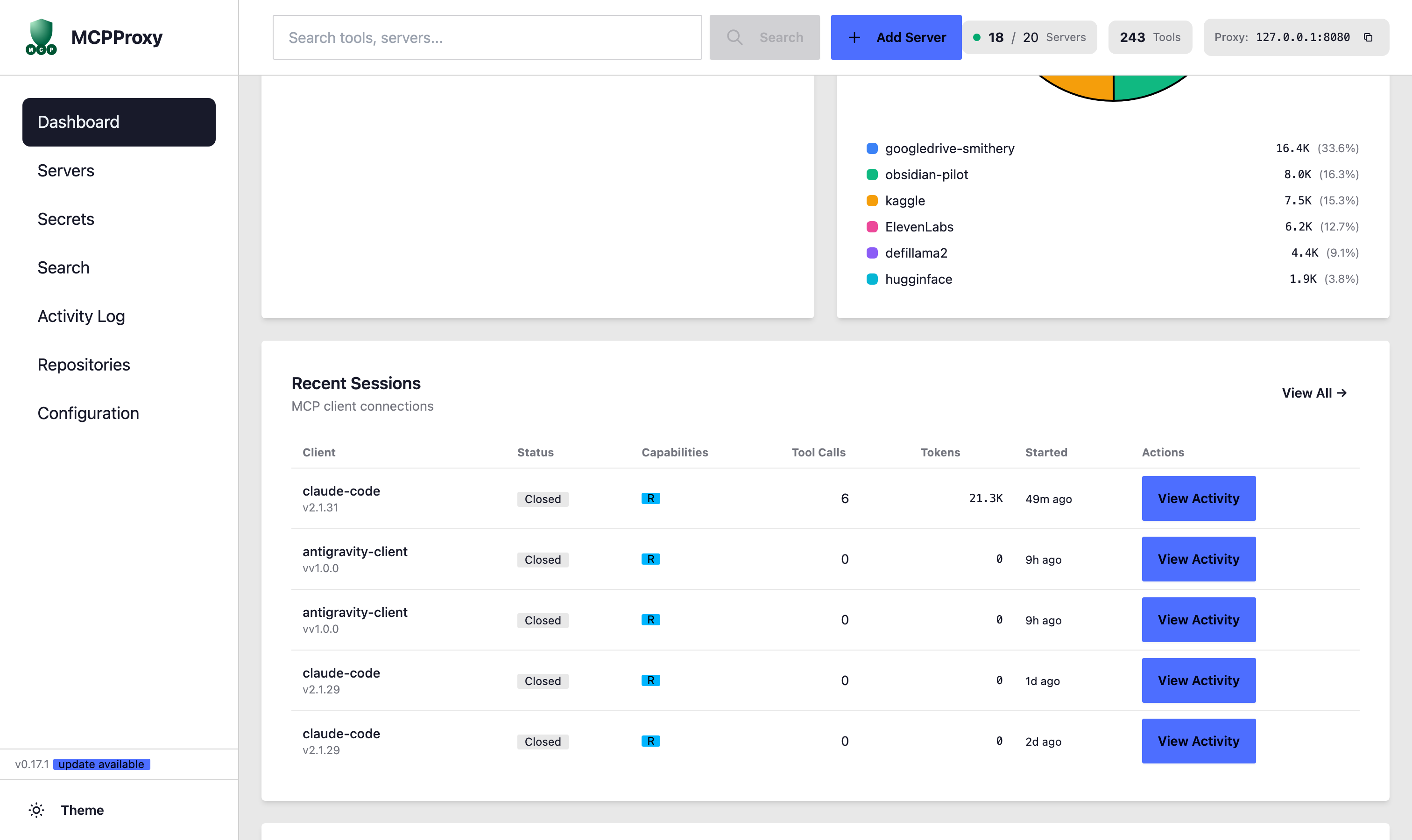
Dashboard - Sessions & Tool Calls
Dashboard bottom: Recent Sessions and Recent Tool Calls
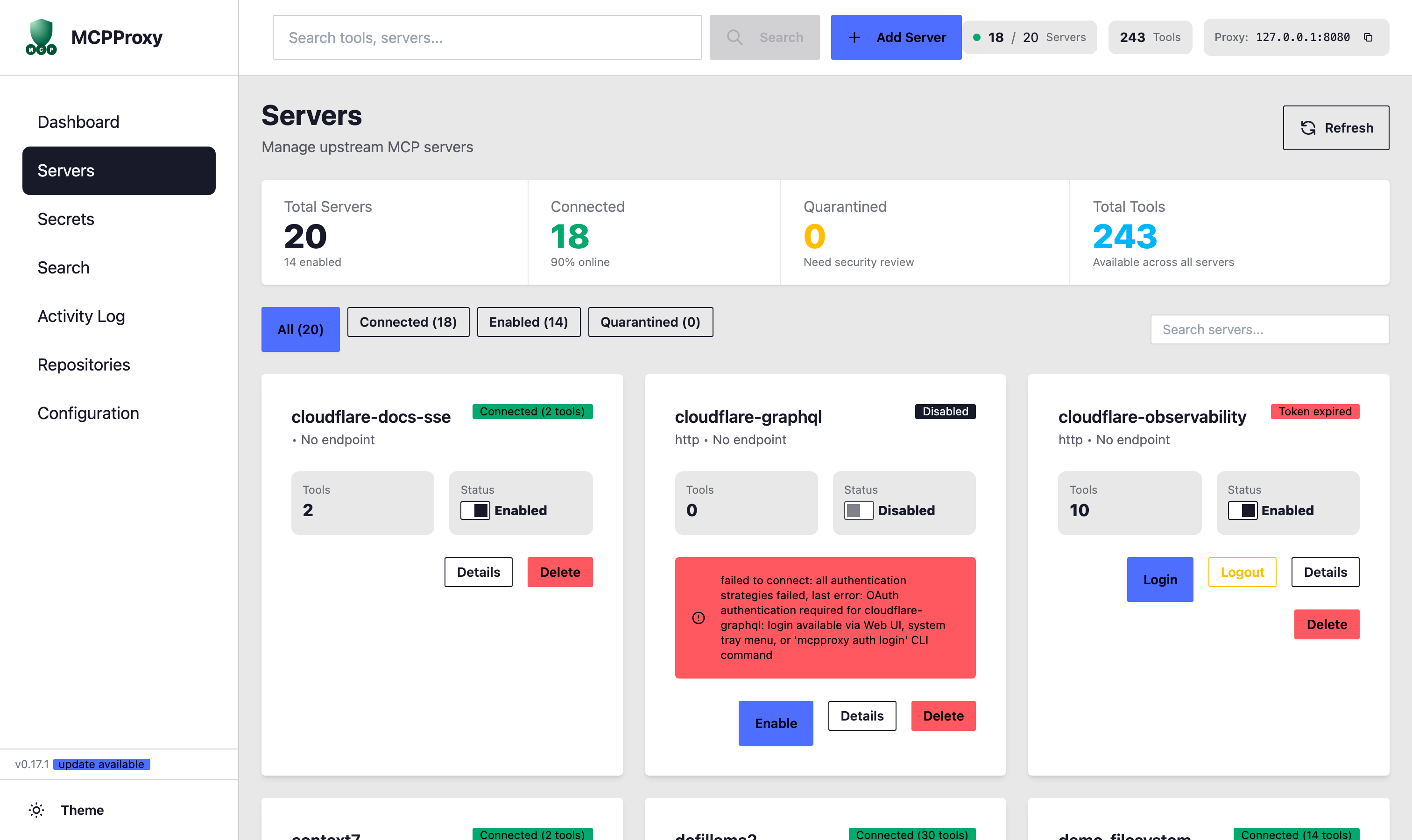
Manage all upstream MCP servers with real-time connection status and tool counts.

  • View Total, Connected, Quarantined servers
  • Filter by All, Connected, Enabled, Quarantined
  • Enable/Disable individual servers
  • OAuth Login/Logout for authenticated servers
  • Docker isolation indicators per server
  • View server details and delete servers
Servers

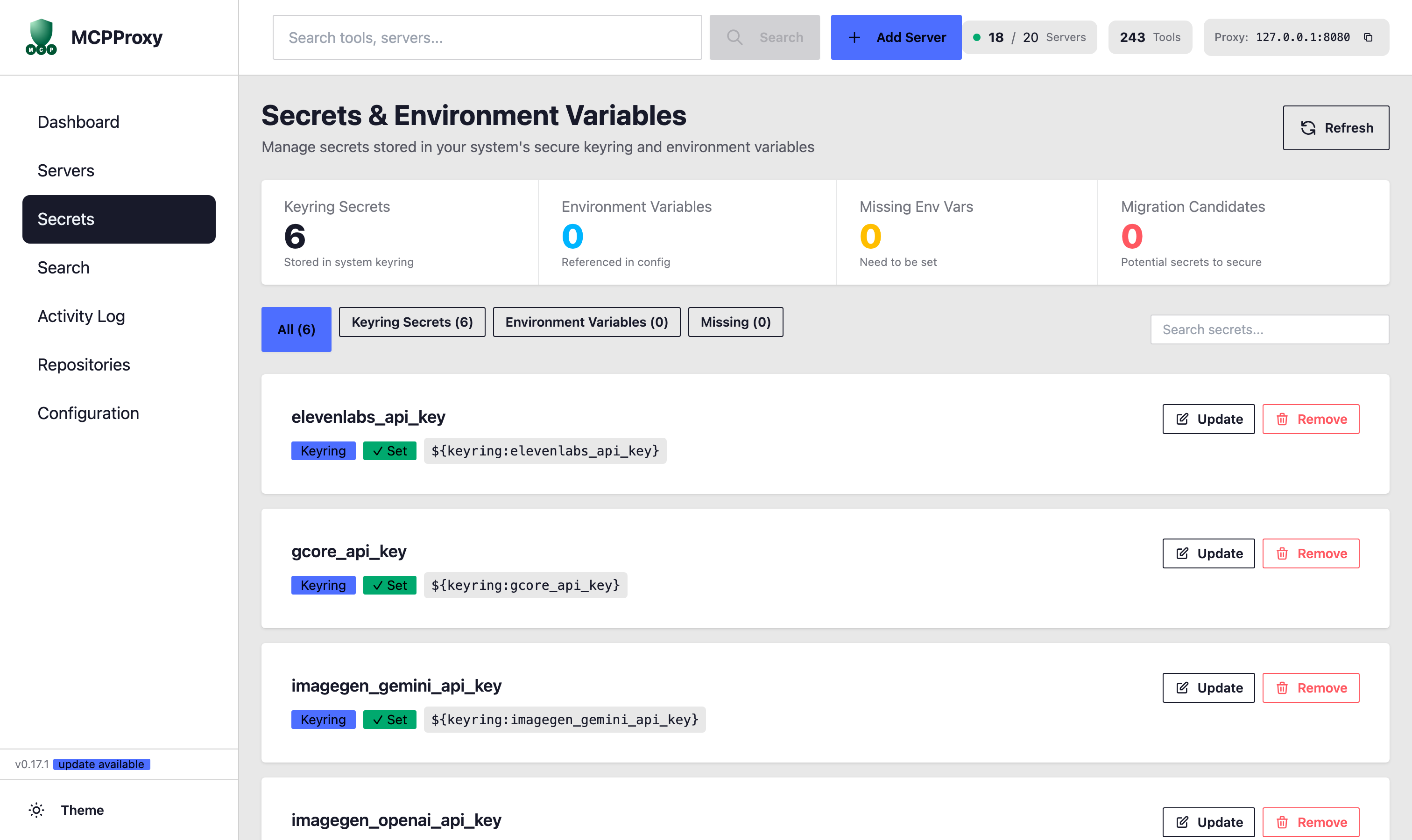
Securely manage API keys and environment variables using your system's keyring.

  • View Keyring Secrets stored securely
  • Manage Environment Variables
  • Identify Missing Env Vars
  • Migration Candidates for secure storage
  • Update and Remove secrets easily
Secrets

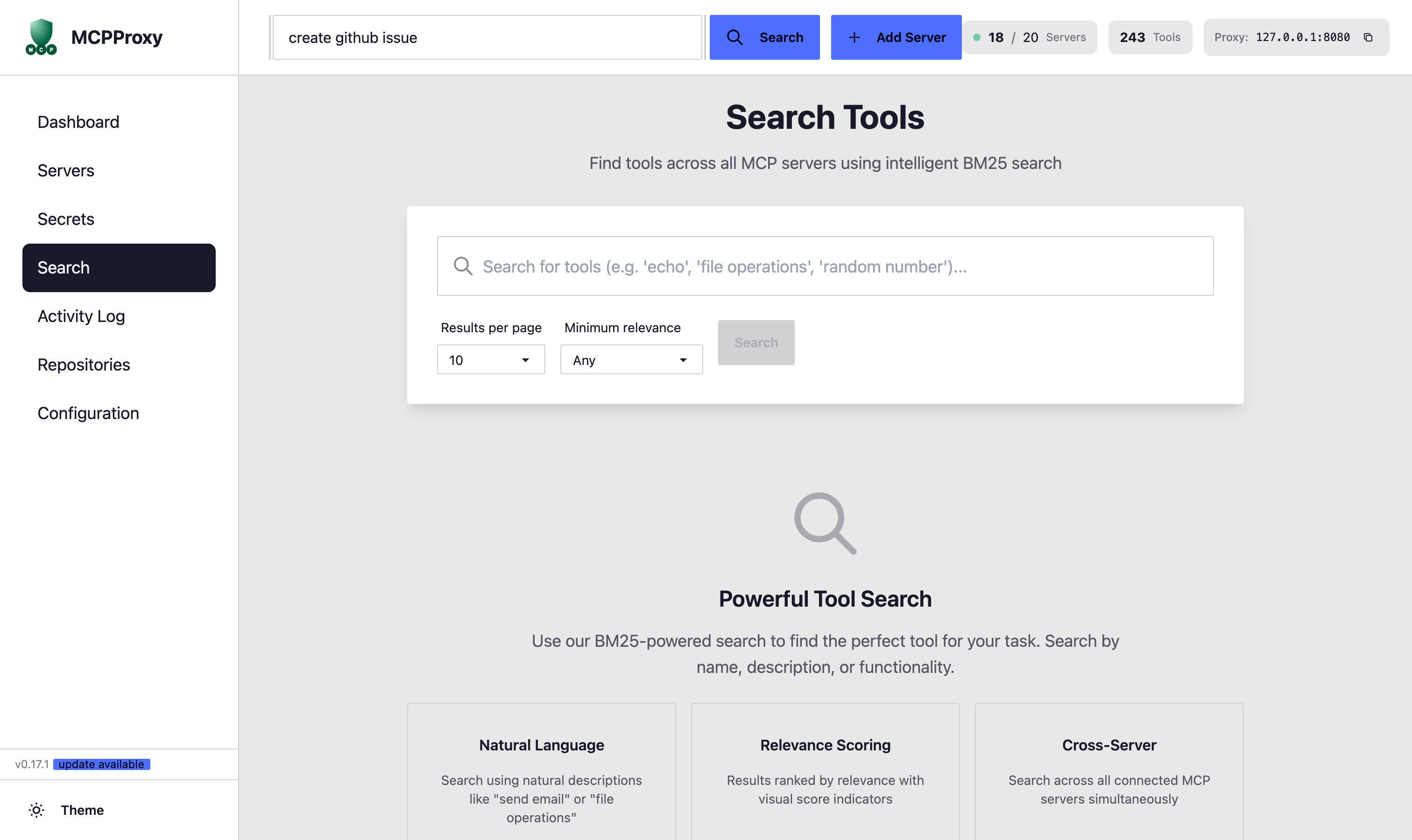
Find tools across all MCP servers using intelligent BM25-powered search.

  • Natural Language search queries
  • BM25 Relevance Scoring algorithm
  • Cross-Server search across all tools
  • Configurable Results per page
  • Minimum relevance filtering
Search

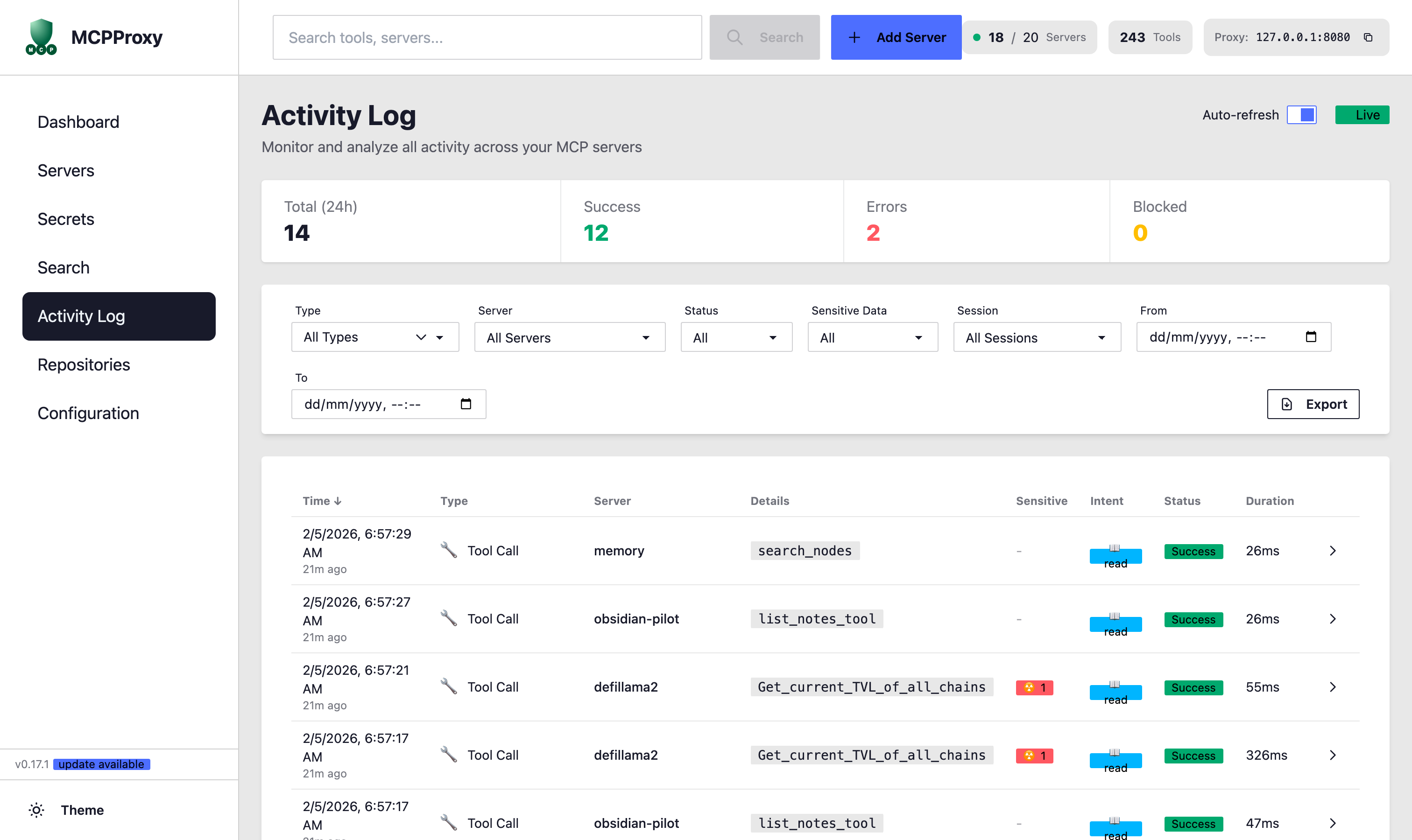
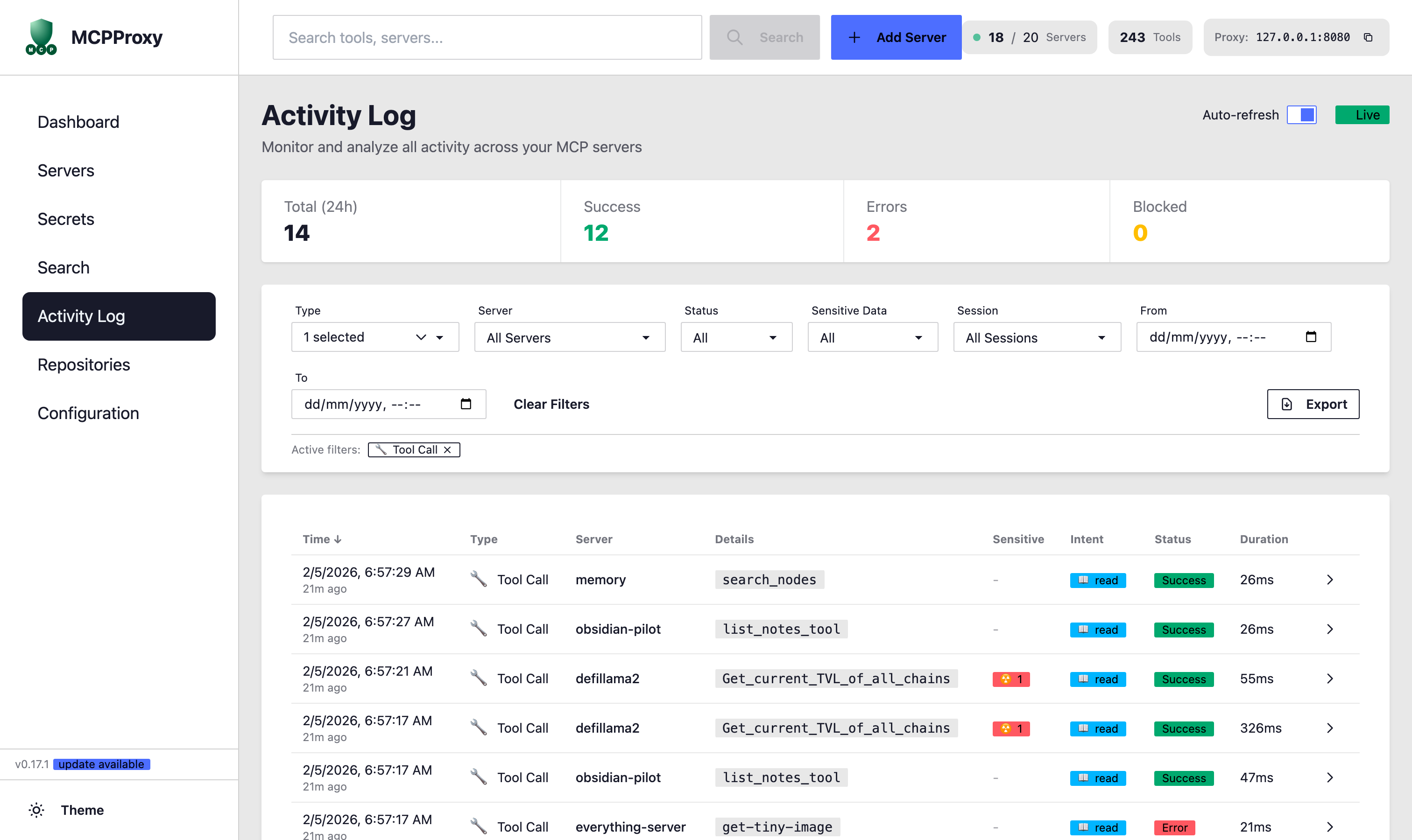
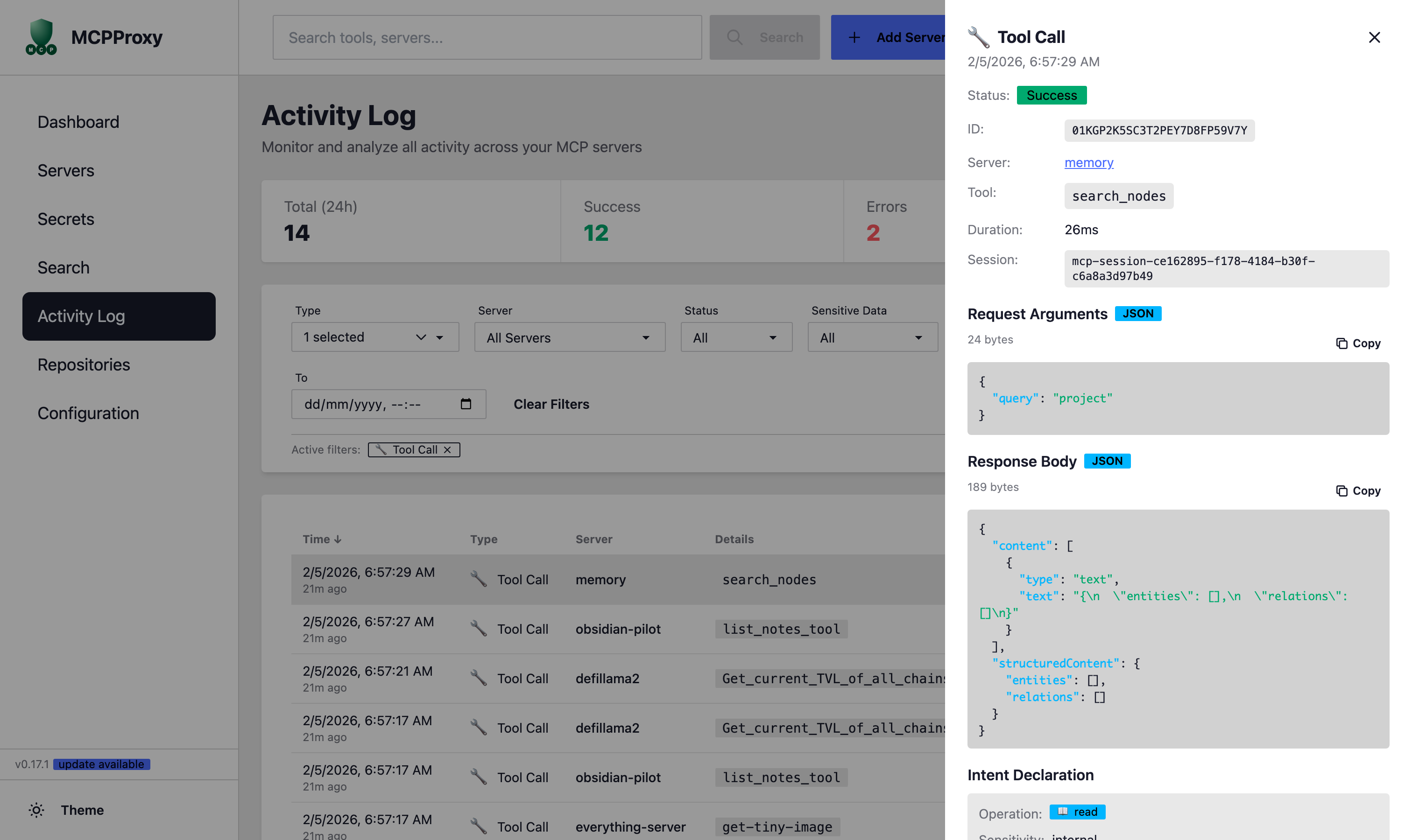
Monitor and analyze all activity across your MCP servers. Filter by event type, server, status, sensitive data detection, and session. Drill into individual tool call details with full request/response inspection.

  • Filter by Type: Tool Call, System Start/Stop, Config Change, Policy Decision, etc.
  • Sensitive Data detection indicators
  • Intent tracking (read/write/destructive)
  • Session and Date range filtering
  • Export activity logs for compliance
  • Auto-refresh with Live mode
Activity Log - Overview
Activity Log: All event types overview
Activity Log - Tool Call Filter
Filtered by Tool Call type with active filter tag
Activity Log - Tool Call Details
Tool call details: request args, response body, intent

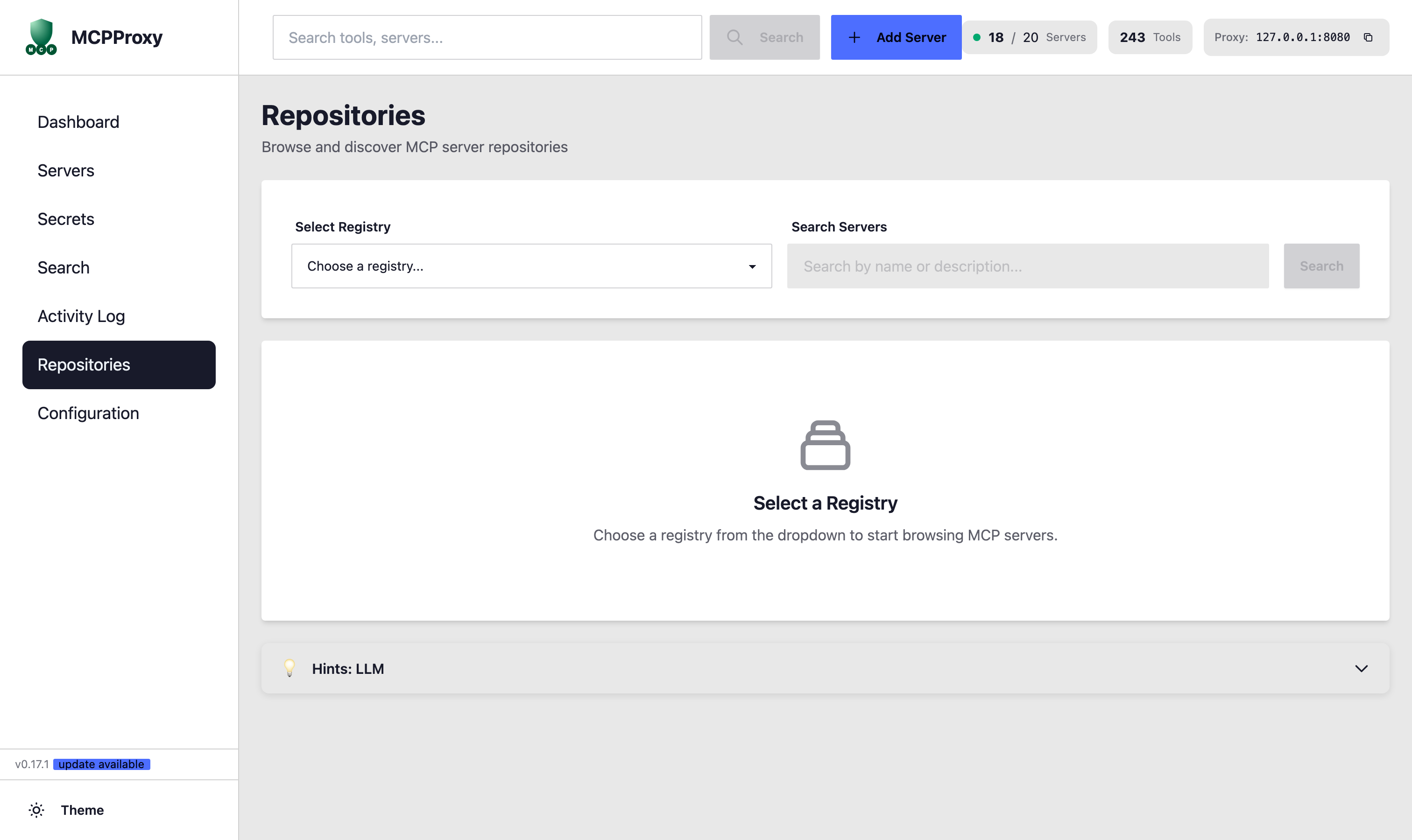
Browse and discover MCP server repositories from official registries.

  • Select from multiple registries
  • Search servers by name or description
  • One-click server installation
  • LLM Hints for better discoverability
  • Browse official MCP server catalogs
Repositories

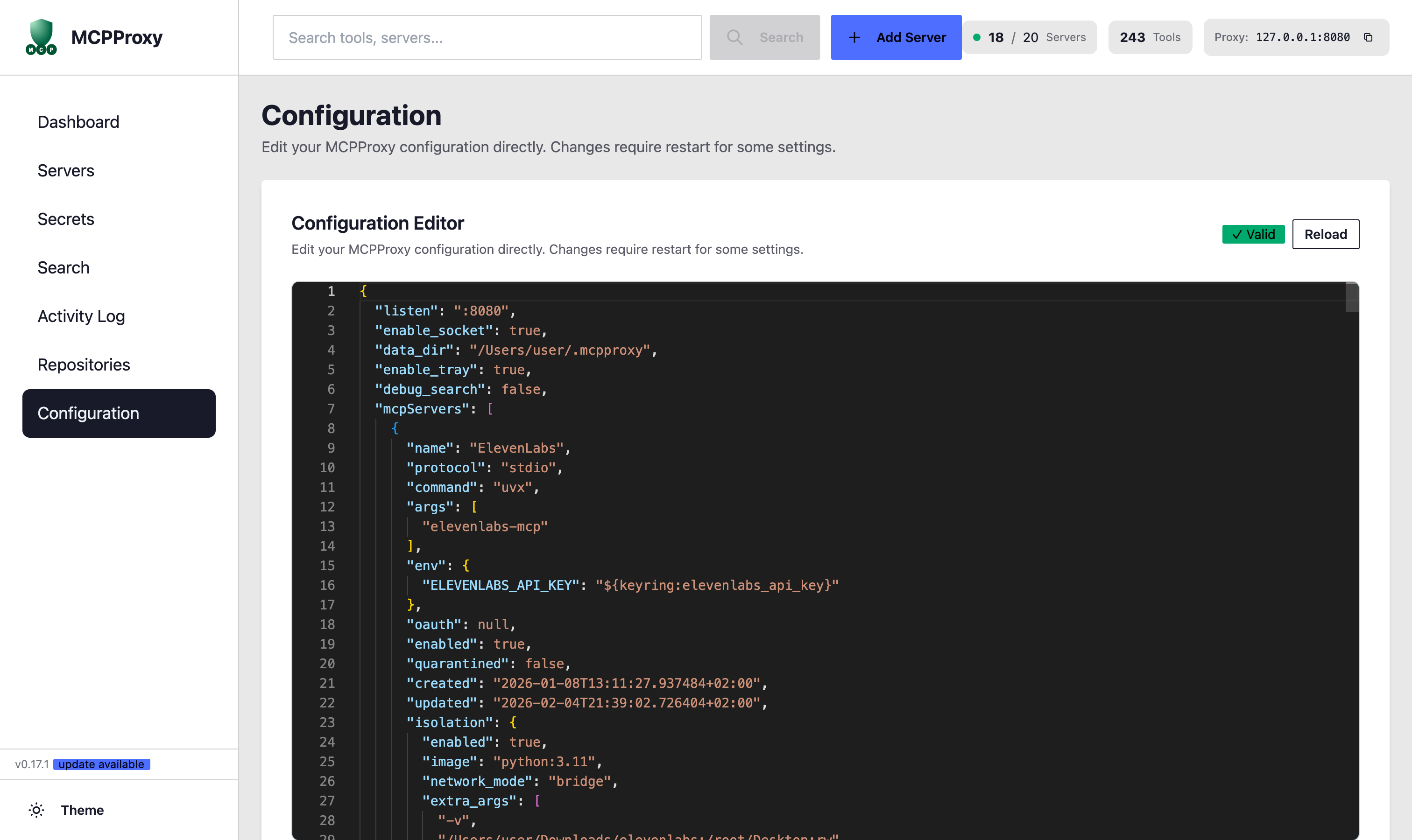
Edit your MCPProxy configuration directly with a built-in JSON editor.

  • Full JSON configuration editor
  • Real-time validation (Valid indicator)
  • Syntax highlighting
  • Reload configuration without restart
  • Configure servers, isolation, and more
Configuration

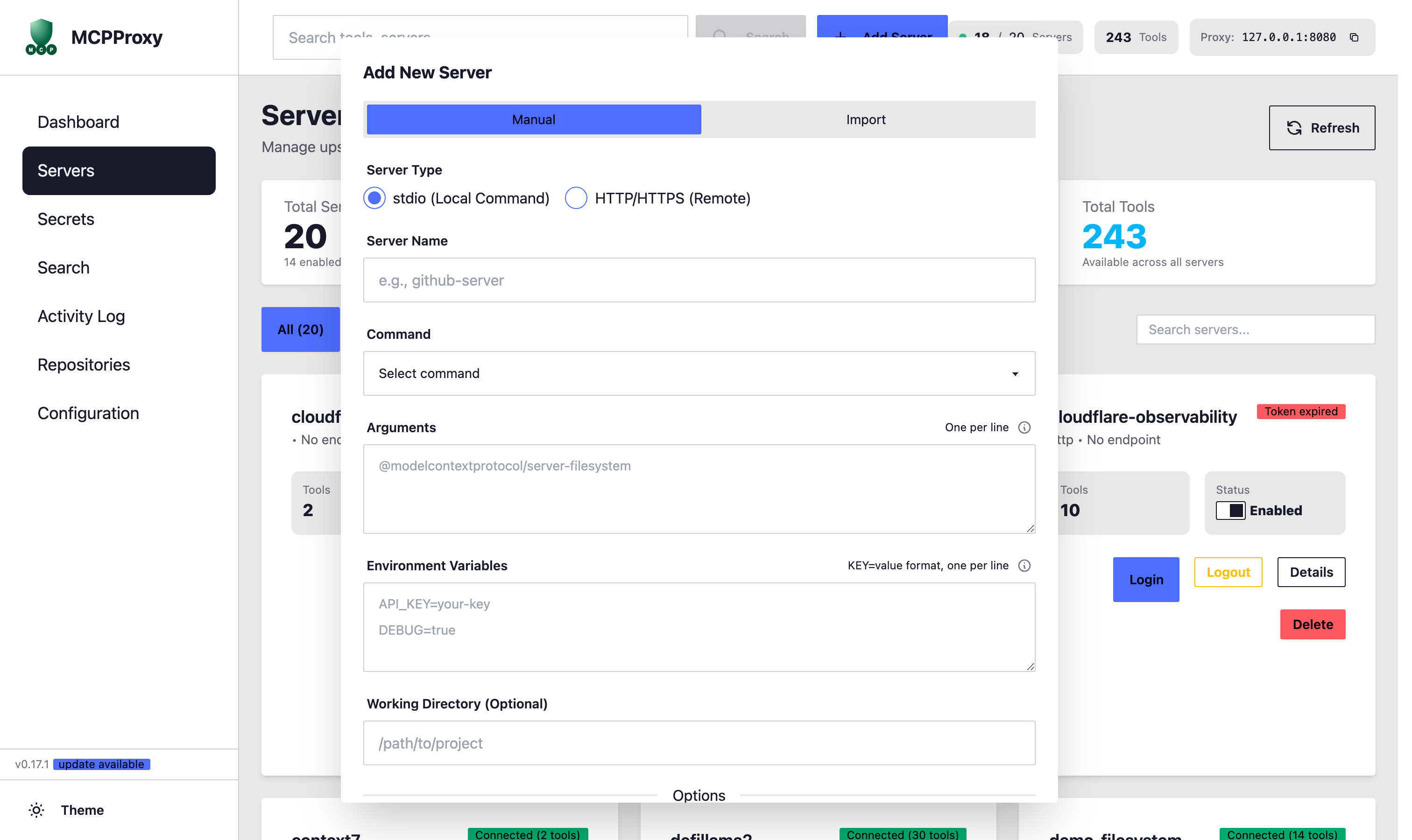
Manually configure a new MCP server with full control over settings.

  • Server Type: stdio (Local Command) or HTTP/HTTPS (Remote)
  • Server Name configuration
  • Command selection (npx, uvx, node, python, custom)
  • Arguments configuration
  • Environment Variables setup
  • Working Directory (Optional)
Add Server - Manual

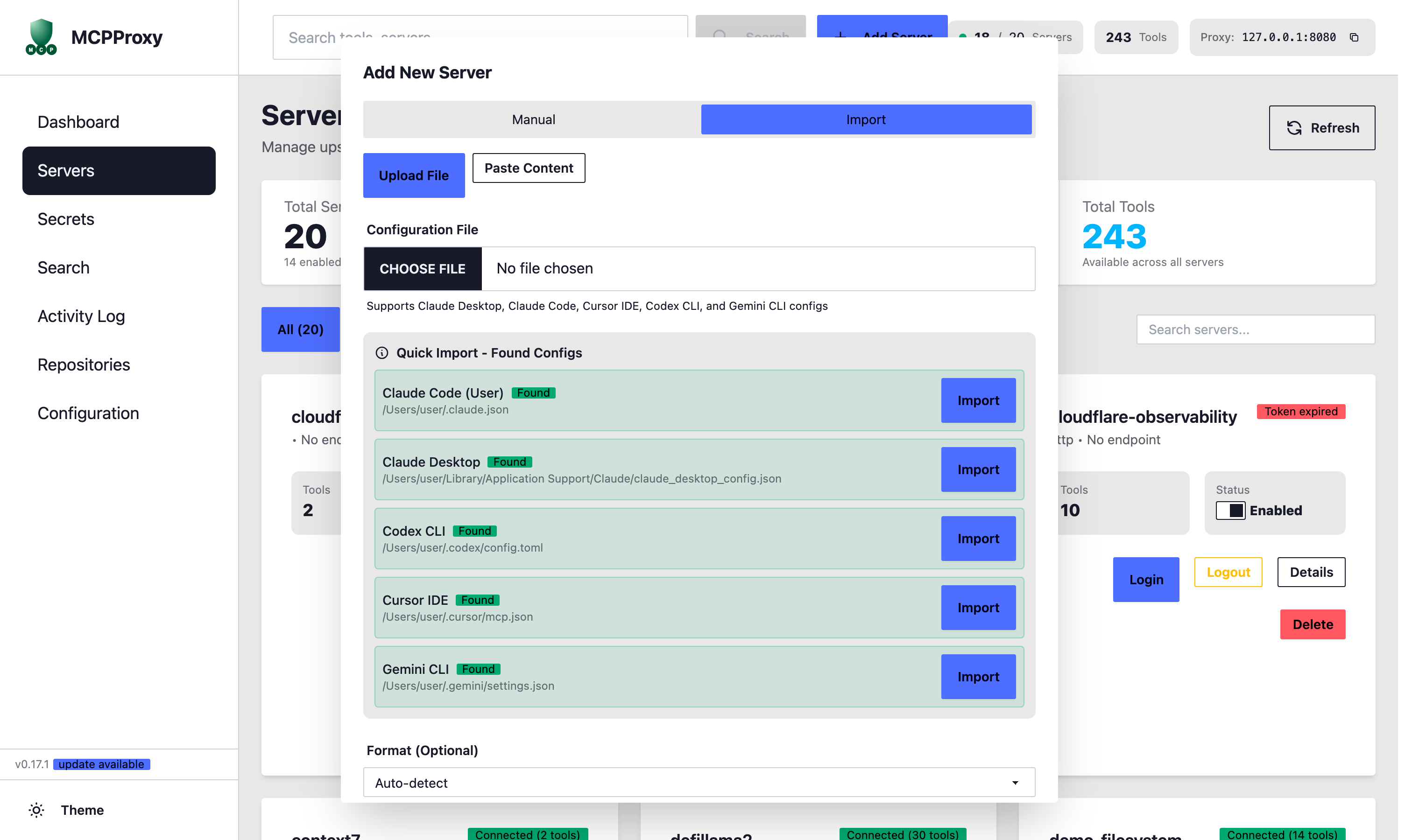
Import servers from existing configuration files or auto-detect installed tools.

  • Upload File or Paste Content
  • Supports Claude Desktop, Claude Code, Cursor IDE, Codex CLI, Gemini CLI
  • Quick Import - Auto-detected configs
  • One-click import from found configurations
  • Automatic path detection
Add Server - Import